
Sidekick Review: Is It Worth It in 2025?
What is Sidekick?
Build Zapier-style automations using a simple chat interface powered by AI.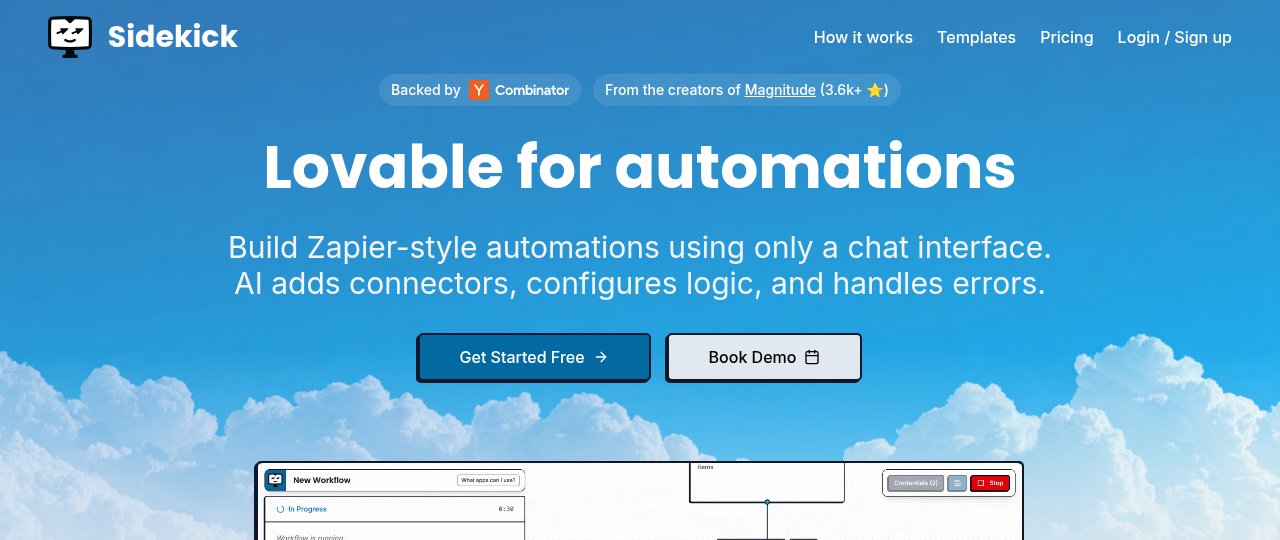
Overview
Key Features
Highlighted below are the standout features that make Sidekick unique:
Deep Analysis
A narrative analysis of strengths, trade-offs, and practical fit.
Sidekick is rethinking automation by replacing manual workflow builders with an AI-driven chat interface. This approach allows users to describe what they want in natural language, and the platform takes care of creating and configuring the automation behind the scenes. The result is a more approachable experience that lowers the barrier to entry for non-technical users.
The platform provides pre-built templates for common workflows, from syncing Gmail with Google Sheets to generating AI-powered summaries in Slack. These templates serve as a launchpad, but users can also create custom automations entirely through conversation. This focus on simplicity distinguishes Sidekick from competitors that require drag-and-drop or coding skills.
Compared to Zapier, Make.com, or n8n, Sidekick emphasizes quick onboarding and automation without setup complexity. It handles logic, complex conditions, and error resolution automatically. Its pricing model is also attractive, charging per run rather than per action, which can provide better value for users running multi-step workflows.
That said, Sidekick’s current limitations lie in its integration library. While it supports many popular apps such as Gmail, Notion, HubSpot, and Slack, its list is smaller than that of Zapier or Make.com. Additionally, more advanced collaboration and support features are reserved for higher-tier plans, which may limit scalability for larger organizations.
Overall, Sidekick is an excellent option for individuals and small teams seeking a fast, AI-powered way to automate repetitive work. Its simplicity, affordability, and AI-driven automation make it an appealing alternative to traditional workflow automation platforms.
[](/go/sidekick)
Ready to automate your workflows?
Experience AI-powered automation with Sidekick's intuitive chat interface.
Try Sidekick FreeUse Cases
Here are practical ways different types of users can benefit from Sidekick:
- 🏢
Small Business Owner
Automate daily reporting from Gmail and Google Sheets without coding.
- 📊
Sales Team
Sync HubSpot deals with Gmail and Slack to track pipelines.
- 💼
Project Manager
Schedule AI-generated meeting summaries from Google Calendar to Slack.
- 💻
Developer
Create GitHub-like workflows without building manual integrations.
Platforms & Integrations
Sidekick is available on select platforms, with upcoming expansions:
Platforms
Web
Integrations
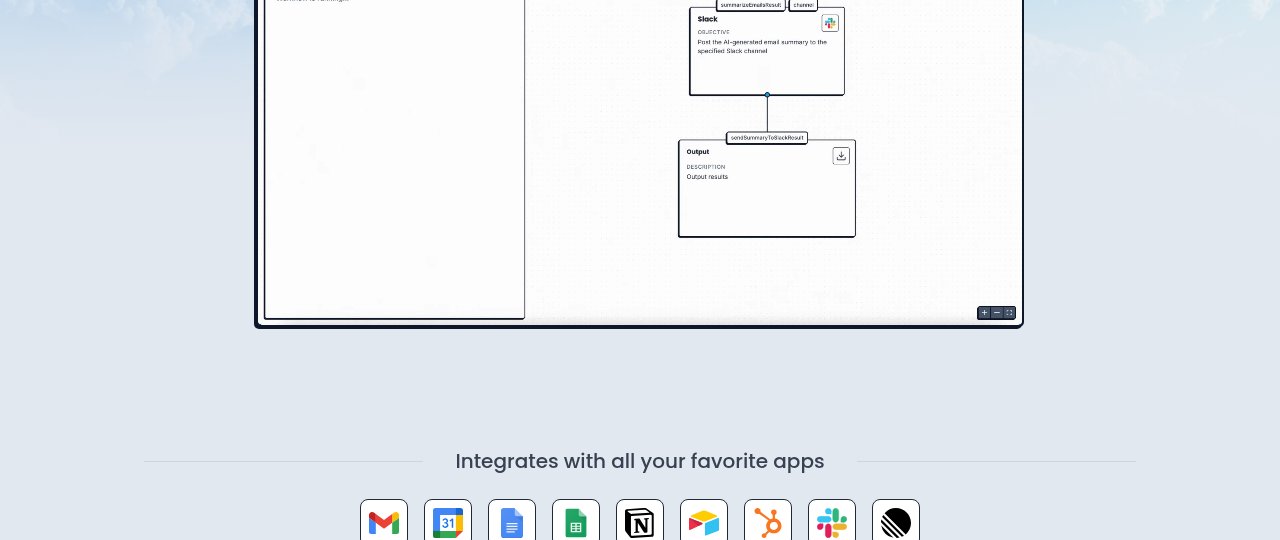
Gmail, Google Calendar, Google Docs, Google Sheets, Notion, Airtable, HubSpot, Slack, Linear
Pros & Cons
Here are the main advantages and considerations of Sidekick:
Pros
- ✓AI builds workflows automatically
- ✓No coding required
- ✓Free plan available
- ✓Supports core business app integrations
- ✓Unlimited workflow creation
Cons
- ✕Fewer integrations compared to Zapier or Make.com
- ✕Advanced team features require higher-tier plans
Pricing
A summary of plans, pay-as-you-go options, and add-ons.
Type
subscription
Summary
Free plan includes 200 runs/month. Pro plan at $19/month, Growth at $49/month with team features, and Enterprise with custom pricing.
Ratings
Is Sidekick worth it? YES ✓
Ready to get started?
Join thousands of users automating their workflows with Sidekick.
Try Sidekick FreeSources
- Official site as of September 25, 2025
Community & Social
Connect with Sidekick through its official social channels: