
Notion Review (2025): Can One AI Workspace Replace Half Your Tools?
What is Notion?
Notion is an AI workspace that centralizes notes, projects, wiki, and everyday work into one place. It helps teams hand off busywork to built-in agents, search across pages, messages, files, and the web, and personalize workflows by controlling how the agent behaves and looks.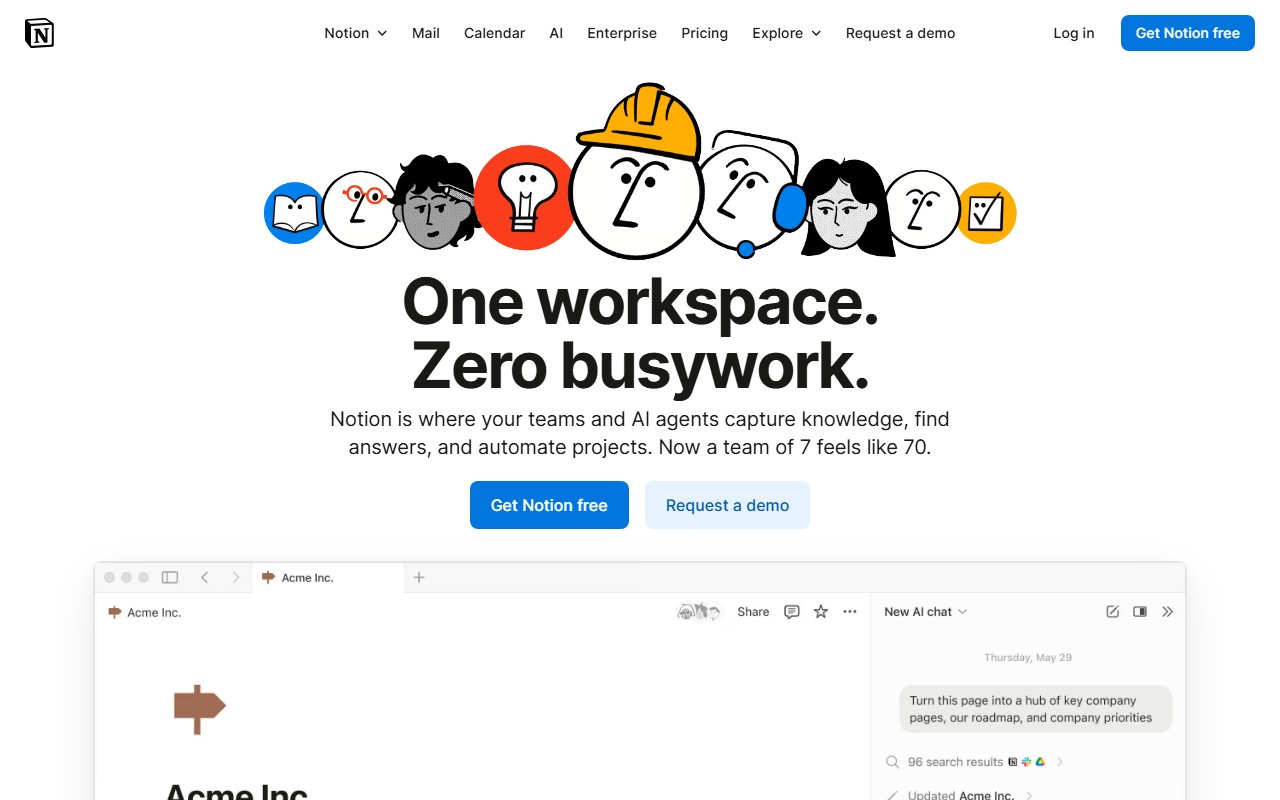
Overview
Key Features
Highlighted below are the standout features that make Notion unique:
Deep Analysis
A narrative analysis of strengths, trade-offs, and practical fit.
Notion is an AI workspace that brings projects, docs, and knowledge together under one roof. The pitch is simple: tell the agent a goal and offload the busywork, then keep everyone aligned in a single hub for work and AI. Instead of stitching together half a dozen tools, teams can add modules--wiki, projects, basic CRM, forms, a site builder--and keep communication within reach via Notion Mail and scheduling through Notion Calendar.
In practice, the agent and search features do the heavy lifting. The homepage claims it "knows everything you know," because it searches across your pages, messages, files, and even the web to surface exactly what you need. That translates to faster ramp time and fewer context switches. A marketer can turn meetings into social posts, while a product manager can go from brainstorm to roadmap without leaving the workspace. The agent is personalizable--users control how it behaves and how it looks--so teams can shape it to match their tone and process. And because it's a single platform, the output of one task (say meeting notes) feeds the next (like tasks, docs, or posts) without exporting or juggling formats.
The breadth matters. A central hub with team wiki, project management, and more keeps everyone informed, which is often the hardest part of scaling work. The homepage lists specific add-ons with per‑user pricing--AI Search, AI Chatbot, AI Meeting Notes, AI Writing Assistant, AI Email App, AI Research, Calendar Scheduling, Team Wiki, Project Management Tool, Basic CRM, Site Builder, Forms--so teams can assemble the stack they need. Notion Mail positions the inbox as something that "thinks like fewer tools to maintain and a clearer path to adoption because work happens where context already lives.
There are trade-offs. Modular pricing suggests you'll pay more as you stack capabilities; the full experience likely spans multiple line items. The emphasis on teams and enterprise credibility--G2 accolades and claims of widespread adoption--signals that it shines in collaborative environments. For individuals who just need simple notes, this may feel like more surface area than necessary. But if the goal is consolidation, faster handoffs, and answers that cut across docs, messages, files, and the web, Notion's approach aligns with how modern teams actually work. It reduces friction, compresses timelines, and gives an AI-native starting point for everyday tasks.
Bottom line: Notion suits teams that want a centralized, AI-first workspace with customizable agents and a deep set of modules. If your day involves bouncing between tools to write, plan, and coordinate, Notion's single hub approach--and its agent that works alongside your team--will likely save time and reduce tool sprawl.
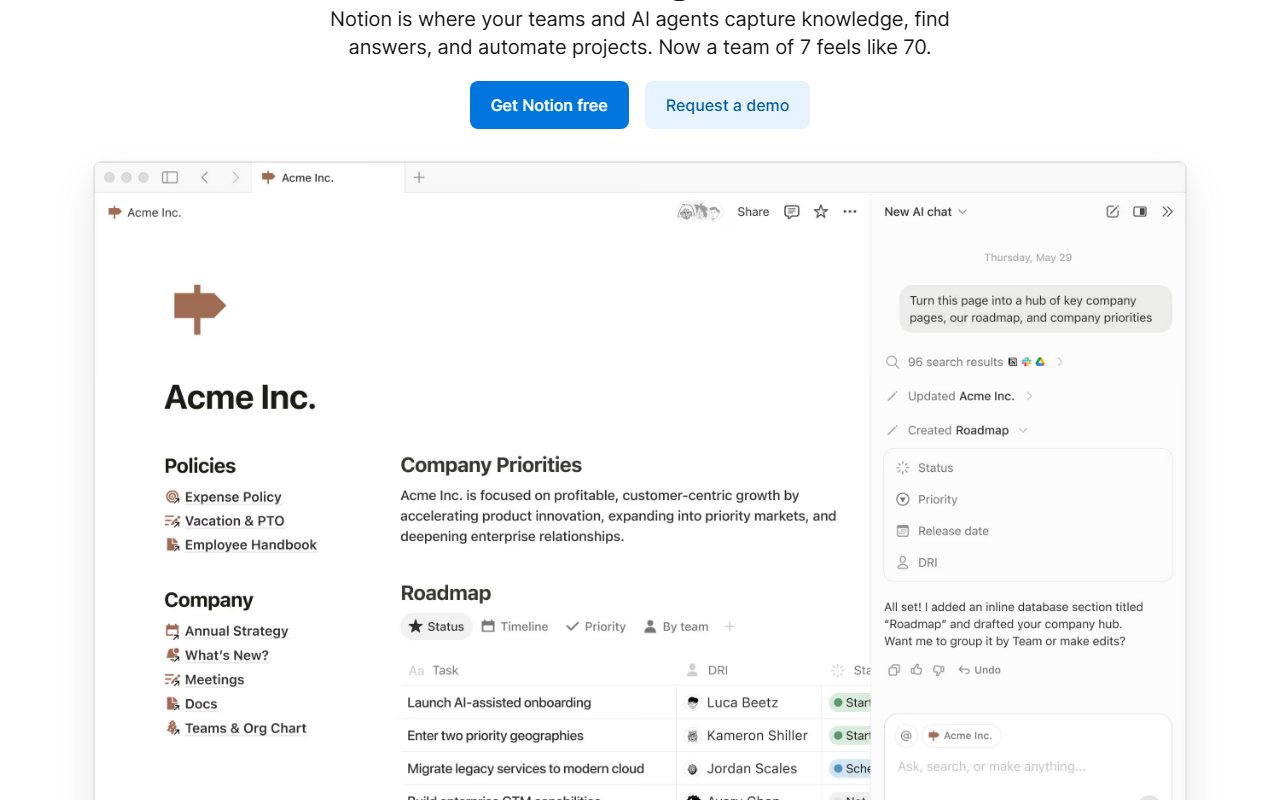
Ready to automate your workflows?
Experience AI-powered automation with Notion's intuitive chat interface.
Try Notion FreeUse Cases
Here are practical ways different types of users can benefit from Notion:
- 🧭
Product managers
Go from brainstorm to roadmap using AI to structure plans.
- 📣
Marketers
Turn meetings into social posts with built-in AI help.
- 🧑💼
People Ops
Onboard a new hire with a team wiki and tasks.
- 👥
Teams
Organize your workspace so one hub keeps everyone informed.
Platforms & Integrations
Notion is available on select platforms, with upcoming expansions:
Platforms
Web, macOS
Pros & Cons
Here are the main advantages and considerations of Notion:
Pros
- ✓Built-in AI agents that handle busywork
- ✓Searches pages, messages, files, and the web
- ✓One hub for work and AI keeps everyone informed
- ✓Top-rated on G2 for knowledge base, AI search, and AI writing
Cons
- ✕Higher tiers required for full features due to modular pricing
- ✕Primarily designed for teams; may be overkill for solo users
Pricing
A summary of plans, pay-as-you-go options, and add-ons.
Type
Subscription
Summary
Homepage lists per‑user pricing for modules: AI Search ($35/user), AI Chatbot ($20/user), AI Meeting Notes ($18/user), AI Writing Assistant ($20/user), AI Email App ($30/user), AI Research ($40/user), Calendar Scheduling ($15/user), Team Wiki ($10/user), Project Management Tool ($24/user), Basic CRM ($20/user), Site Builder ($20/user), Forms ($15/user). A 'See pricing plans' link is shown.
Ratings
Is Notion worth it? YES ✓
Ready to get started?
Join thousands of users automating their workflows with Notion.
Try Notion FreeSources
- Official site as of November 13, 2025
Community & Social
Connect with Notion through its official social channels: